
Bundles in Asana: Manage and Scale Processes Centrally
Last updated on
12.05.2026
by
Adrian Wylezol
If you manage a lot of projects in Asana, you know the challenge: a process changes, and suddenly you have to apply that same change by hand across dozens of projects. It's inefficient and it leads to mistakes. Asana Bundles solve this by letting you manage your workflows centrally.
A bundle is a collection of sections, fields, rules, task types and templates.
Instead of setting these up separately in every project, you group them in one place. As soon as you link a bundle to your projects, everything it contains becomes active there.
The real benefit shows up when something changes. Adjust a rule in the bundle and Asana applies that change to every linked project straight away. You maintain your standard process in one place only.
Setup and access
You reach bundles through the Customize button in your projects, or through the Workflow tab. The feature is available to all Enterprise customers.
There are three ways to create one:
- Create from scratch: you build a bundle entirely to your own specification.
- Bundle library: you pick an existing bundle from the library and filter by responsibilities if you need to.
- Convert a project: you turn an existing project directly into a bundle, so a proven workflow immediately becomes your standard.
You can add up to five bundles per project, which keeps the structure flexible. You can also duplicate existing bundles to build new processes quickly on a foundation that already works.
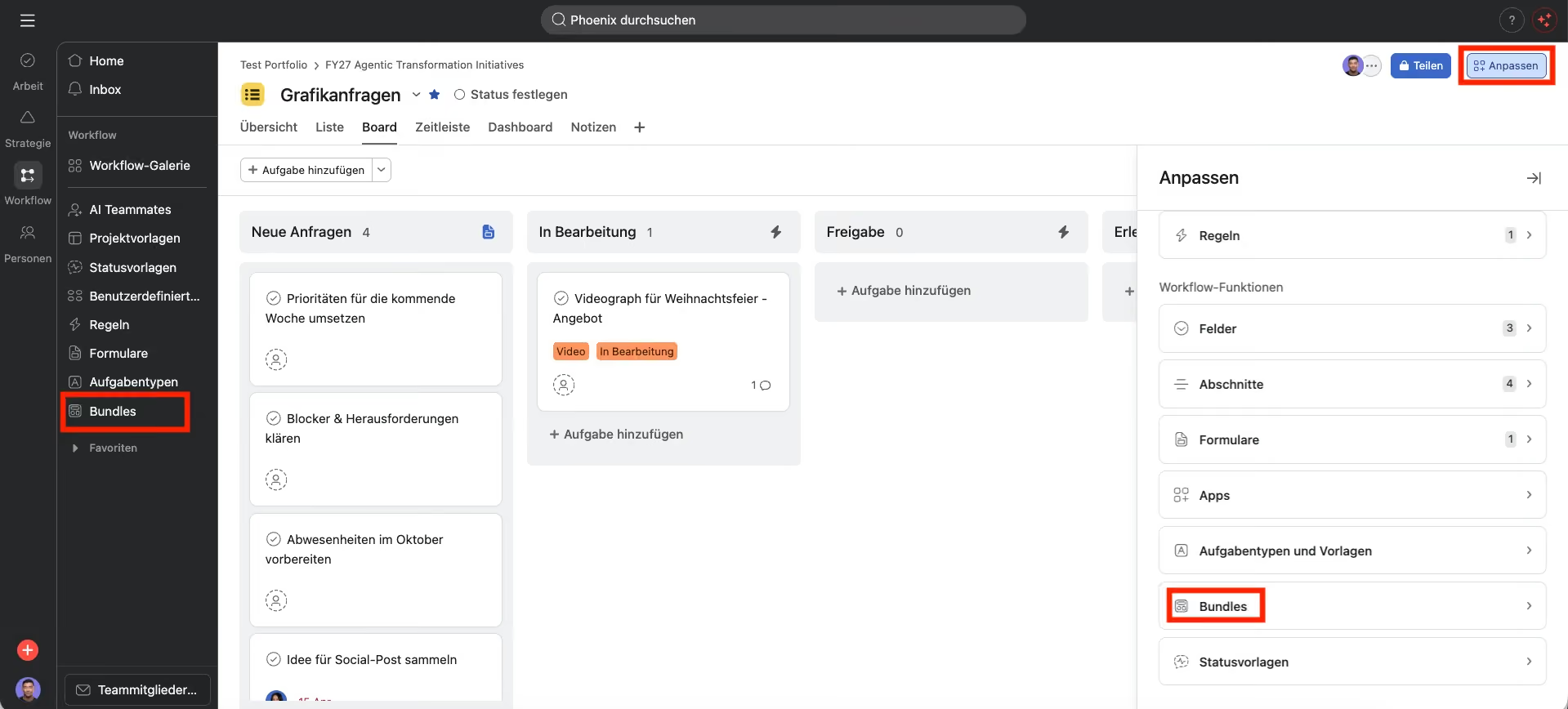
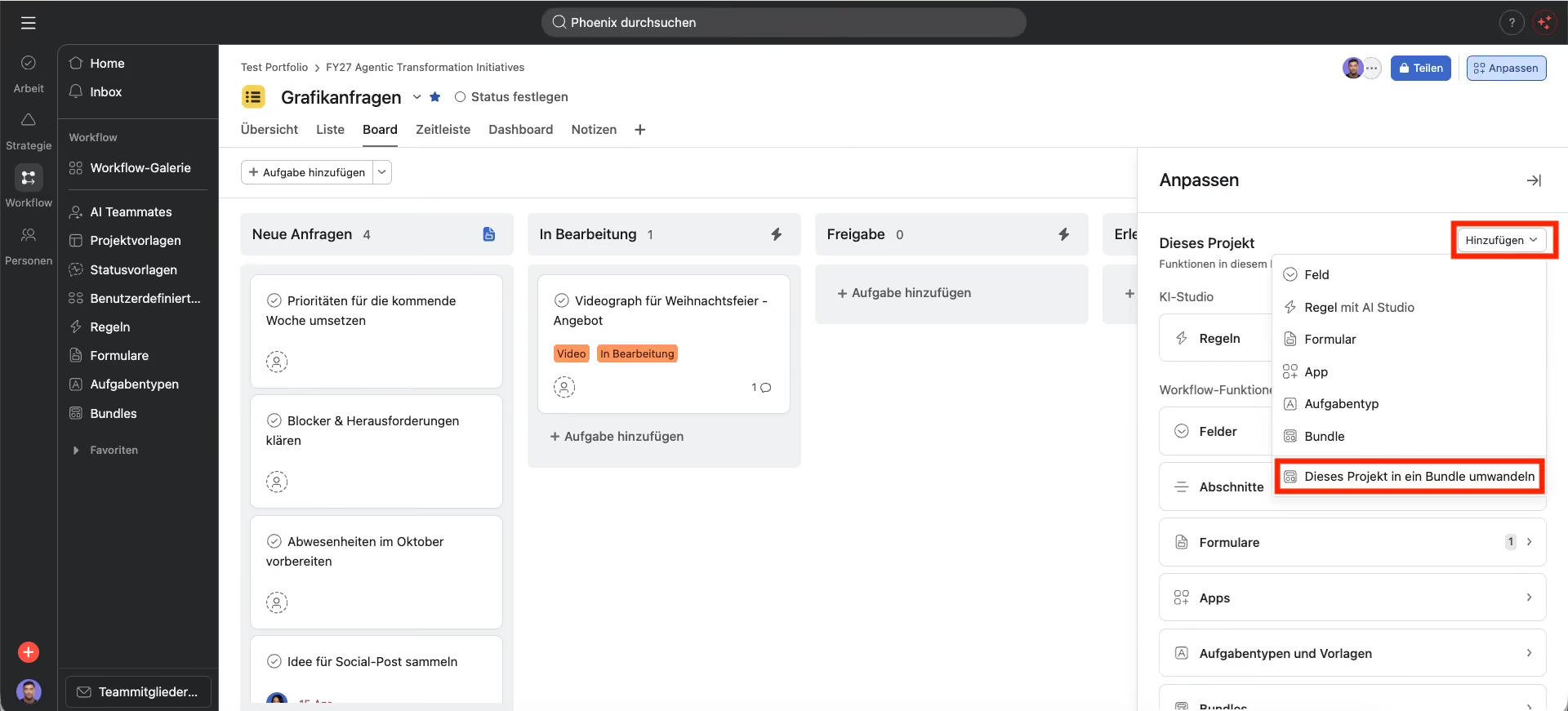
Features and permissions
Bundles give you a lot to work with when scaling your workflows. You can add a bundle not just to individual projects but to entire portfolios, which rolls its contents out automatically to every project in that portfolio. One limitation to be aware of: this currently applies only to the first level of a portfolio, not to nested portfolios.
Access follows clear rules. Alongside Admin access, you can share bundles with Editor access or Viewer access, so you keep control over your standard processes.
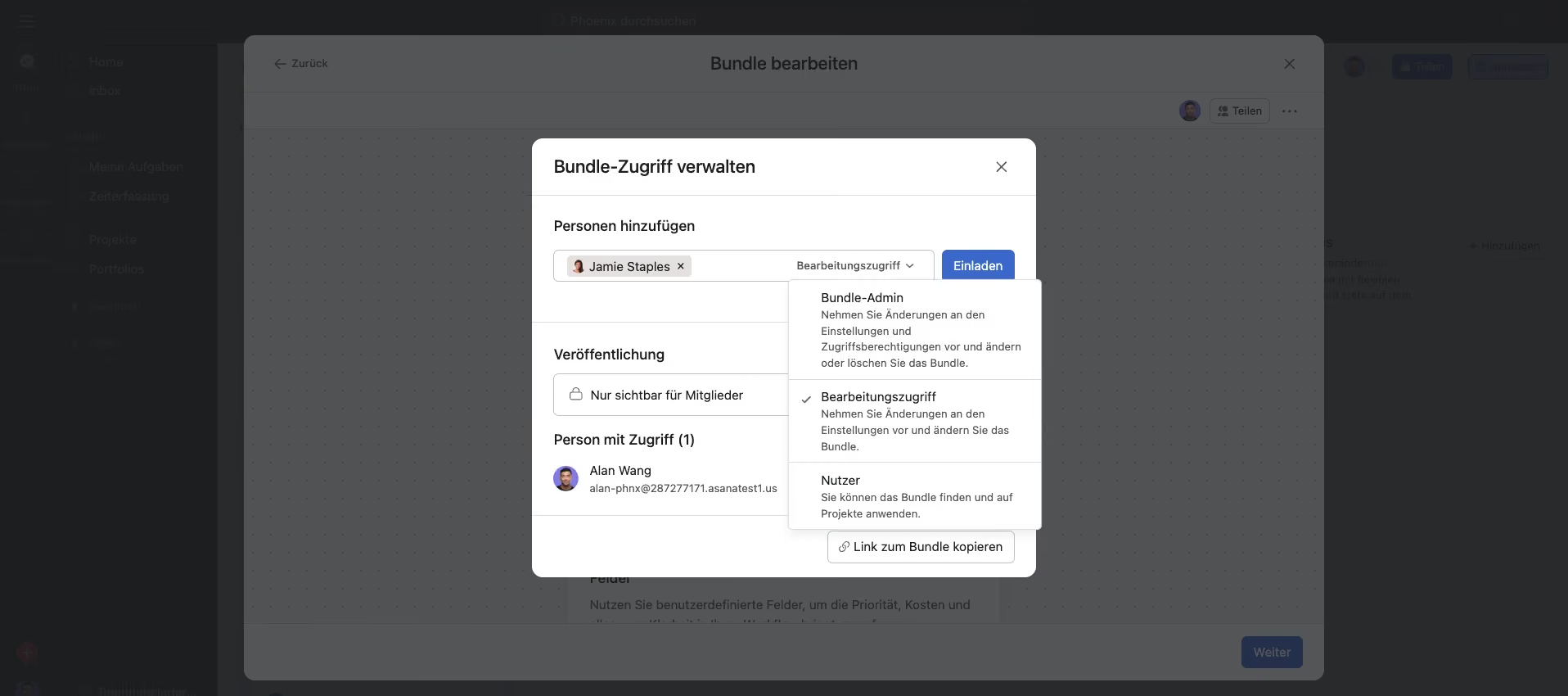
A worked example: a global approval workflow
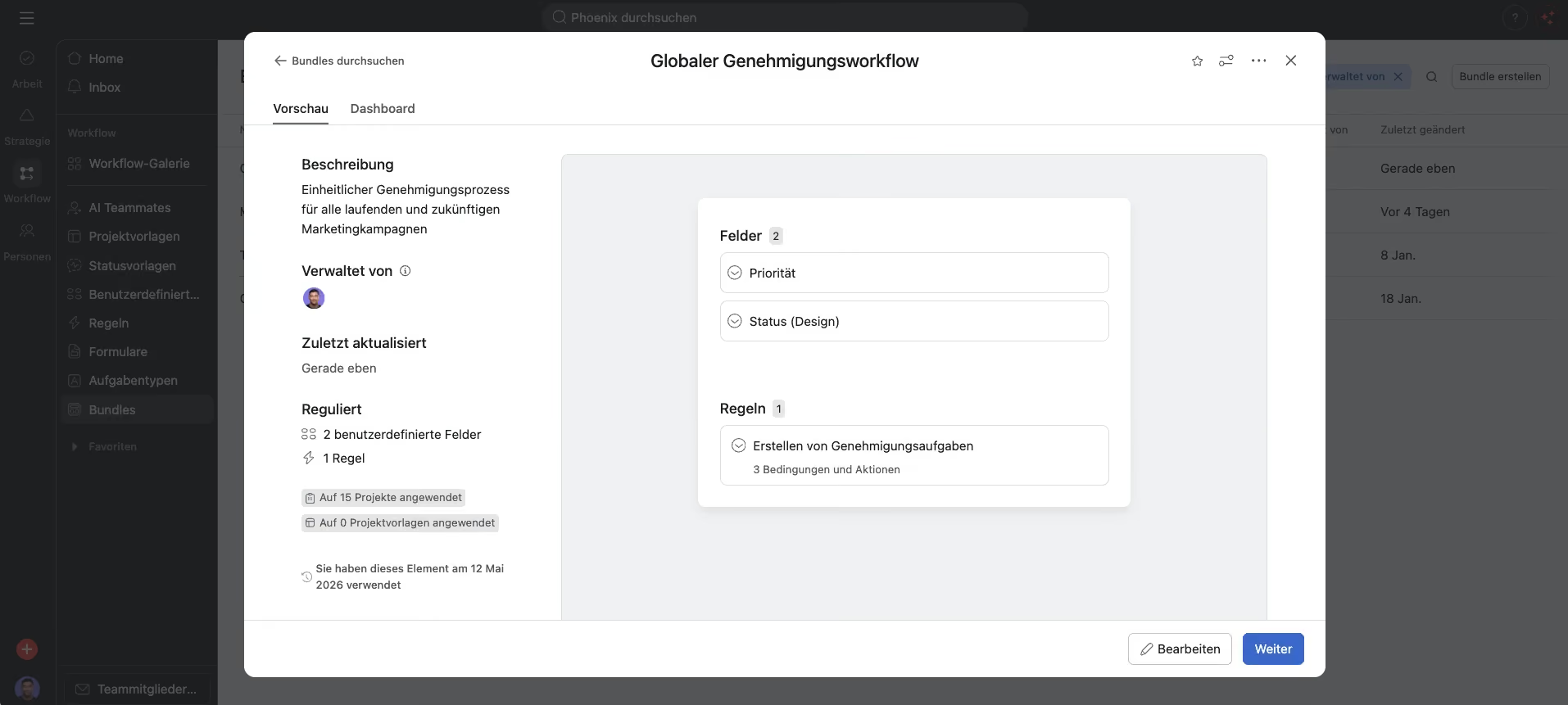
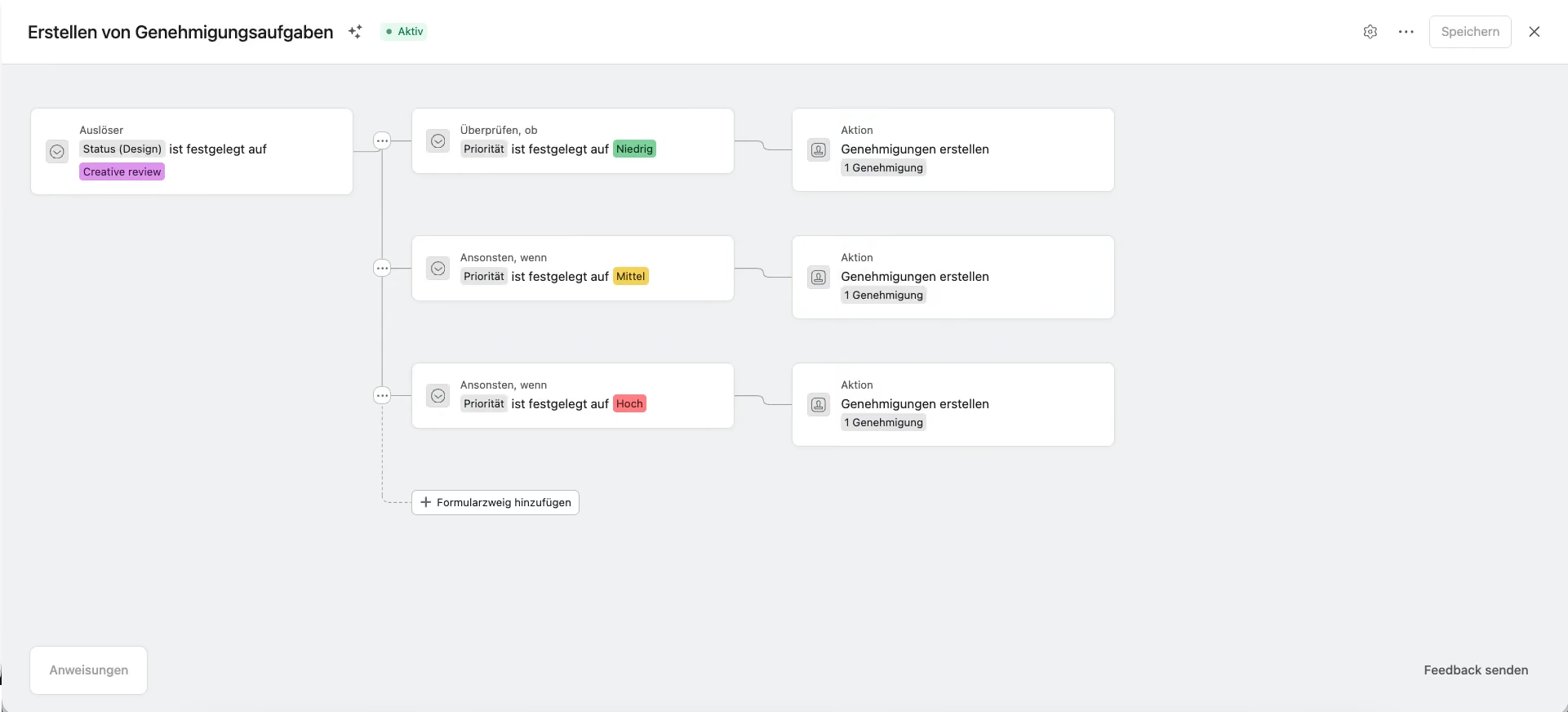
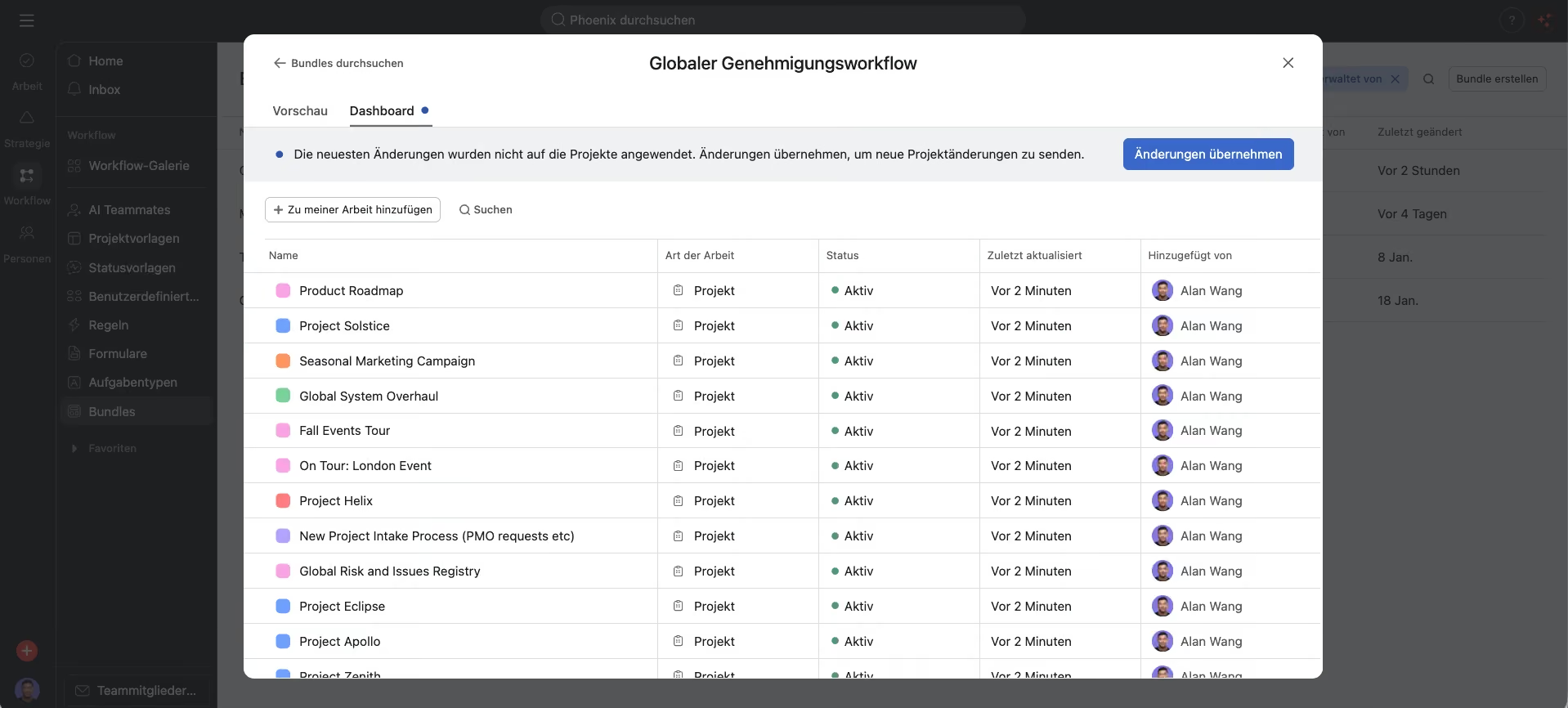
Say you want to introduce a single approval process across every marketing campaign, current and future. Without bundles, you'd have to edit each project one by one. With a bundle, you roll the process out to all of them in a few clicks.
What goes into this bundle:
- Status field: a dropdown with values such as In progress and Ready for approval.
- Priority field: a range from Low to High to signal urgency.
- Automated rule: as soon as Status switches to Ready for approval, Asana creates an approval task based on the priority.
Link the bundle to your campaign portfolio and the workflow is live across every project in it.
Conclusion
If you're not using Asana Bundles yet, they're worth a closer look. Bundles let you manage processes centrally and roll changes out consistently across a large number of projects.
They don't just cut the manual work when a process changes. More importantly, they keep quality standards consistent across all your teams and projects.
For more on bundles, see the Asana Help Center.
Newsletter abonnieren
Abonniere unseren Newsletter und erhalte Neuigkeiten zu Asana direkt in dein Postfach.
About the author

Related articles
Asana Timesheets & Budgets: What the add-on can do and who it’s for
23.03.2026
Native time tracking in Asana is often enough for internal projects. But once billable hours, approval workflows, and budget control come into play, it reaches its limits. We explain what the Timesheets and Budgets add-on actually offers, and which teams benefit most.

NetFlows and PageProof enter into a strategic partnership
29.01.2026
NetFlows has entered into a partnership with PageProof, a leading platform for online proofing and approvals. Through this partnership, we are expanding our ability to support Asana customers even more effectively in implementing efficient, clear, and scalable creative and approval processes in Asana.